Mortgage Overpayment & Rate Planner
Thinking of overpaying your mortgage? This shows what it could save you, before you do it.
Type in your balance, rate and how long you've got left. Add what you'd pay extra each month, a lump sum, or both. The sheet shows how much sooner you'd be mortgage-free and how much interest you'd skip.
- Pay once, keep it. No subscription
- Works in Google Sheets and Excel
- Your figures stay in your own file
Instant download. Secure checkout on Payhip. Any current offer shows at checkout.
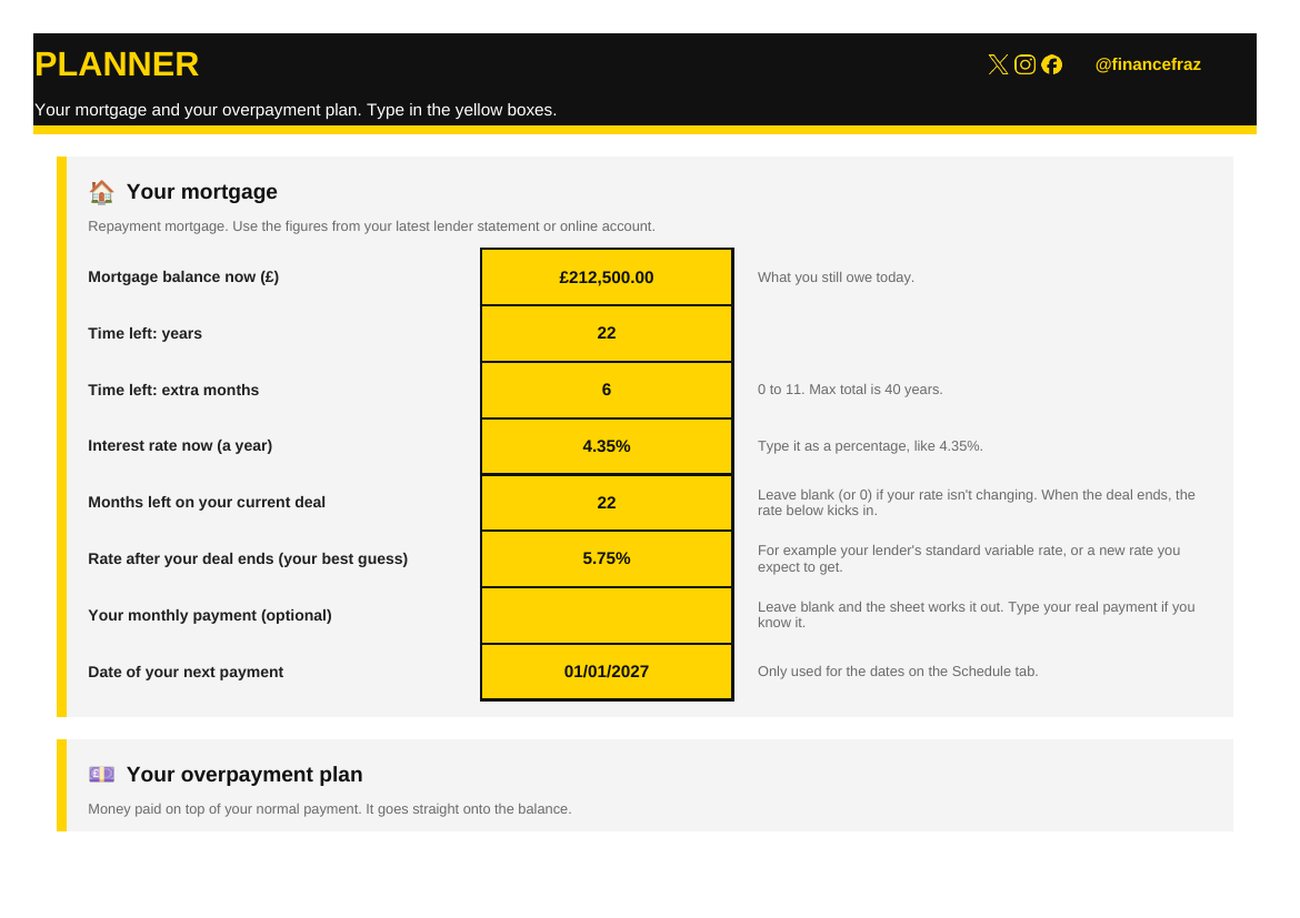
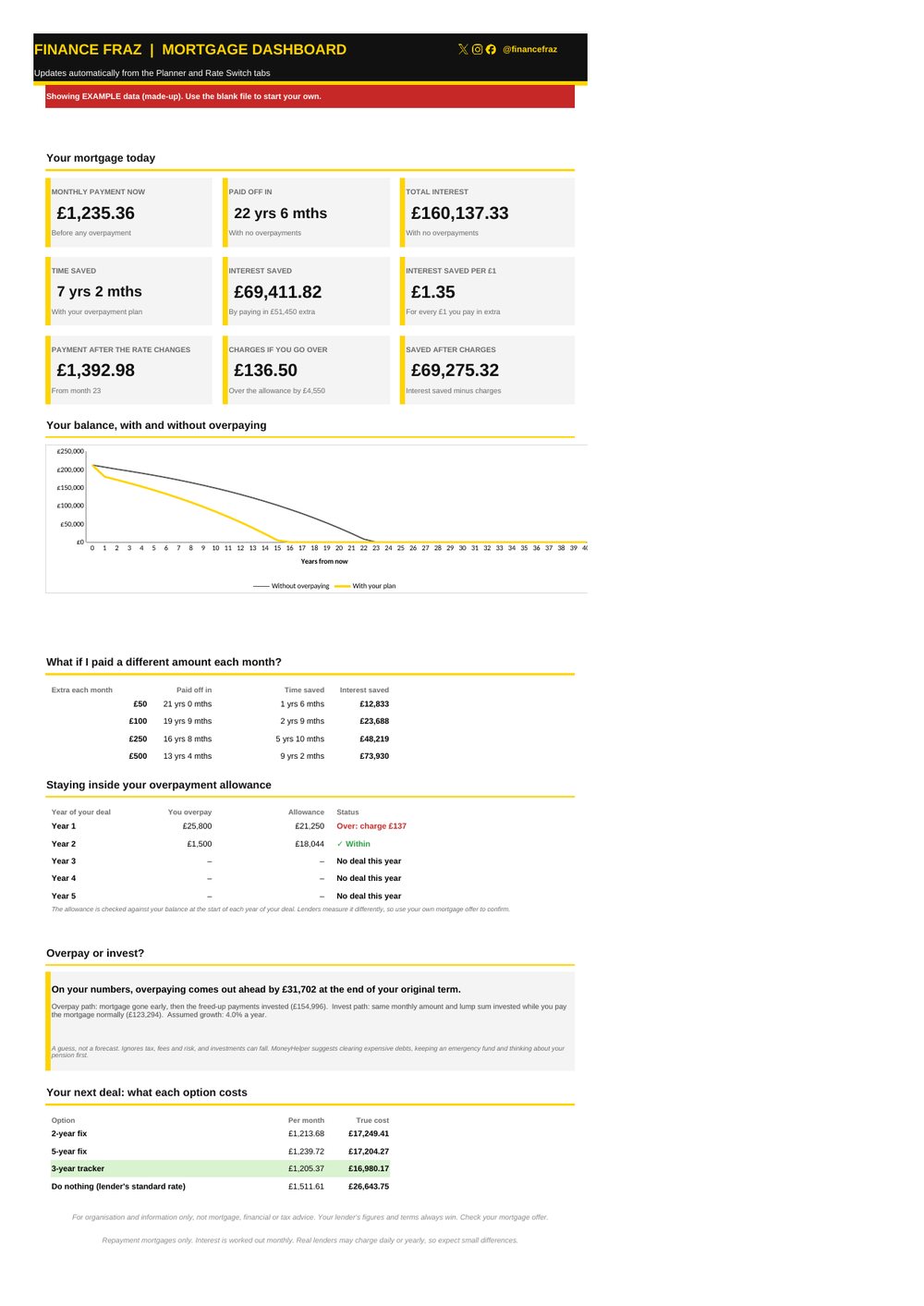
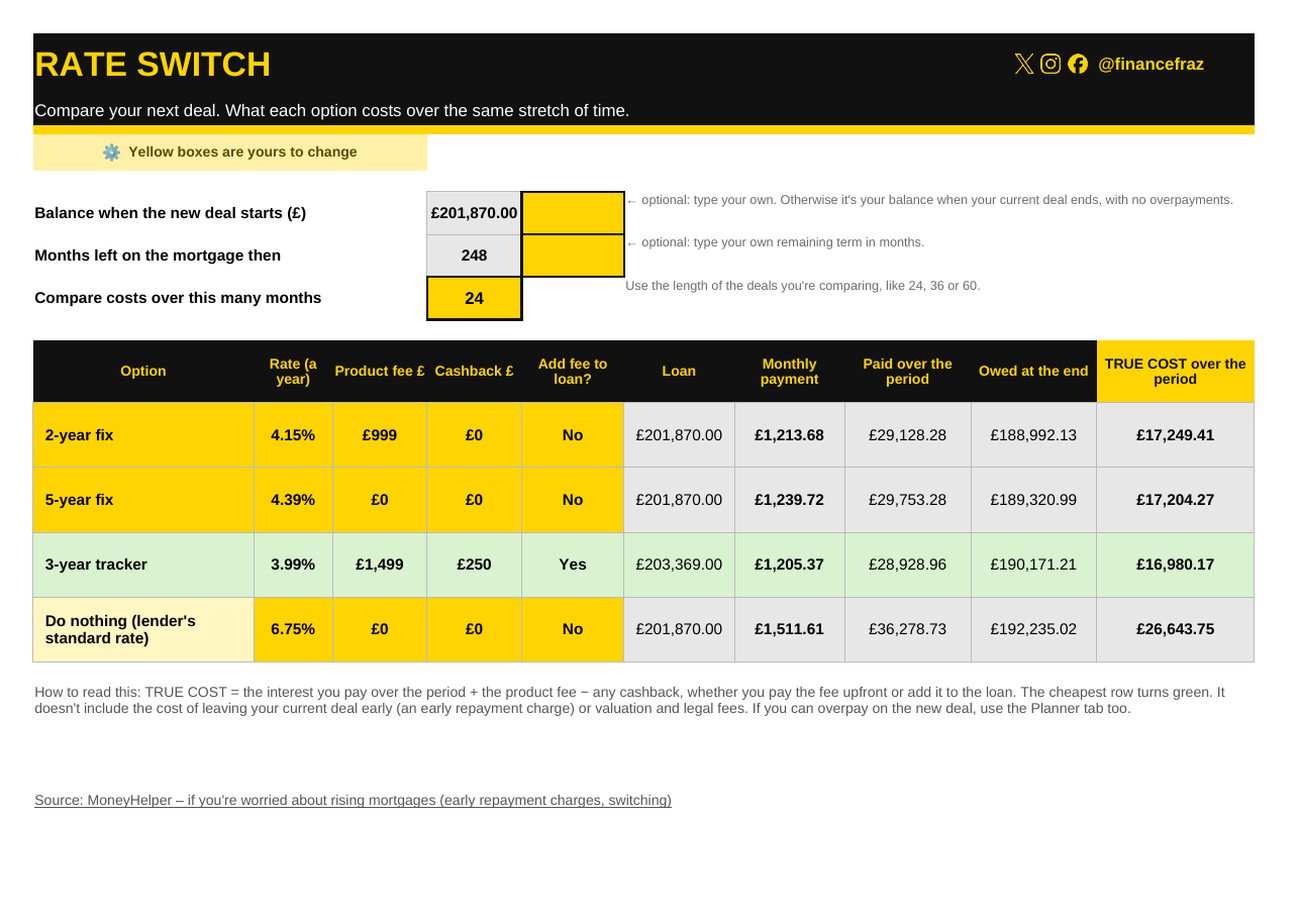
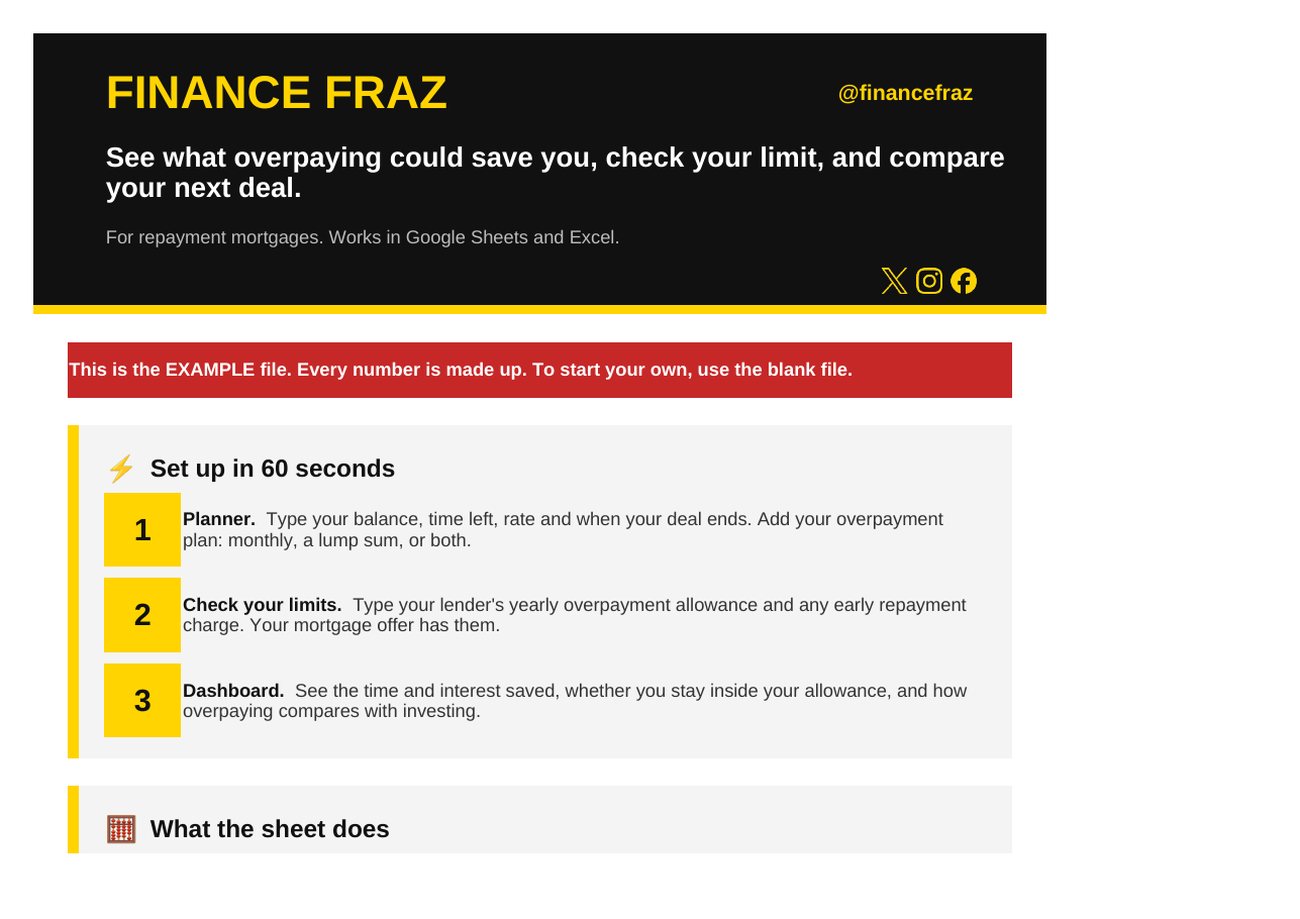
The real spreadsheet, not a mock-up
These are screenshots of the example file. Every number in them is made up.
Three steps, about a minute
- 01
Download
Pay once on Payhip and the file lands straight in your inbox. You get a blank version and an example one.
- 02
Open it
Upload it to Google Drive and open it in Google Sheets, or open it in Excel. No macros, nothing to switch on.
- 03
Type your numbers
Balance, rate and years left go in the yellow boxes. The sheet does the rest.
A few quid. Pay once.
No app to download, no account, no monthly fee. It's a spreadsheet. Save it, edit it, change the numbers whenever your deal changes.
What you get
- Blank version, ready to use
- Example version with made-up figures, so you can see how it works first
- Start Here tab with a 60-second setup
- Planner tab with your mortgage, a rate change when your deal ends, a monthly extra and a lump sum
- Time saved, interest saved and interest saved per £1 you pay in extra
- Allowance check: type your lender's yearly limit and early repayment charge and it flags each year of your deal
- "What if I paid..." side by side with four amounts you choose
- Overpay or invest? A simple comparison using a growth rate you pick
- Rate Switch tab to compare up to three new deals plus doing nothing, including fees and cashback
- Dashboard with a balance chart
- Month-by-month schedule for up to 40 years
Common questions
Is it a subscription?
No. You pay once and the file is yours to keep. No login, no monthly fee.
Do I need Excel?
No. It works in Google Sheets (upload it to Google Drive and open it) and in Excel.
Where do my figures go?
Nowhere. They stay in your own file, on your device or in your own Google Drive. I never see them.
Will it match my lender's numbers?
Close, but not exactly. Lenders charge interest in different ways (daily, monthly or yearly), so expect small differences. Your lender's figures and terms always win.
Who is it not for?
Interest-only, part-and-part or offset mortgages. It also doesn't include valuation or legal fees, or the cost of leaving your current deal early.
Is this advice?
No. It's for organisation and information only, not mortgage, financial or tax advice. Check your mortgage offer.
For organisation and information only, not mortgage, financial or tax advice. Check your mortgage offer.
Want the next planner first?
I'm building more. Newsletter readers hear about them before anyone else.
- Money saving tips and switching offers
- Investing, explained simply
- Side hustles, HMRC and tax allowances
No spam. Unsubscribe any time. Sent by Beehiiv.