Delivery Driver Tax Tracker 2026/27
I built this because I deliver on the side myself and got fed up of scribbling miles on the back of receipts.
Every day of the 2026/27 tax year is already listed. Find the day, fill in what each app paid you, your hours, and your start and end mileage. The sheet does the rest: miles, daily, weekly and monthly totals, and your averages.
- Pay once, keep it. No subscription
- Works in Google Sheets and Excel
- Your figures stay in your own file
Instant download. Secure checkout on Payhip. Any current offer shows at checkout.
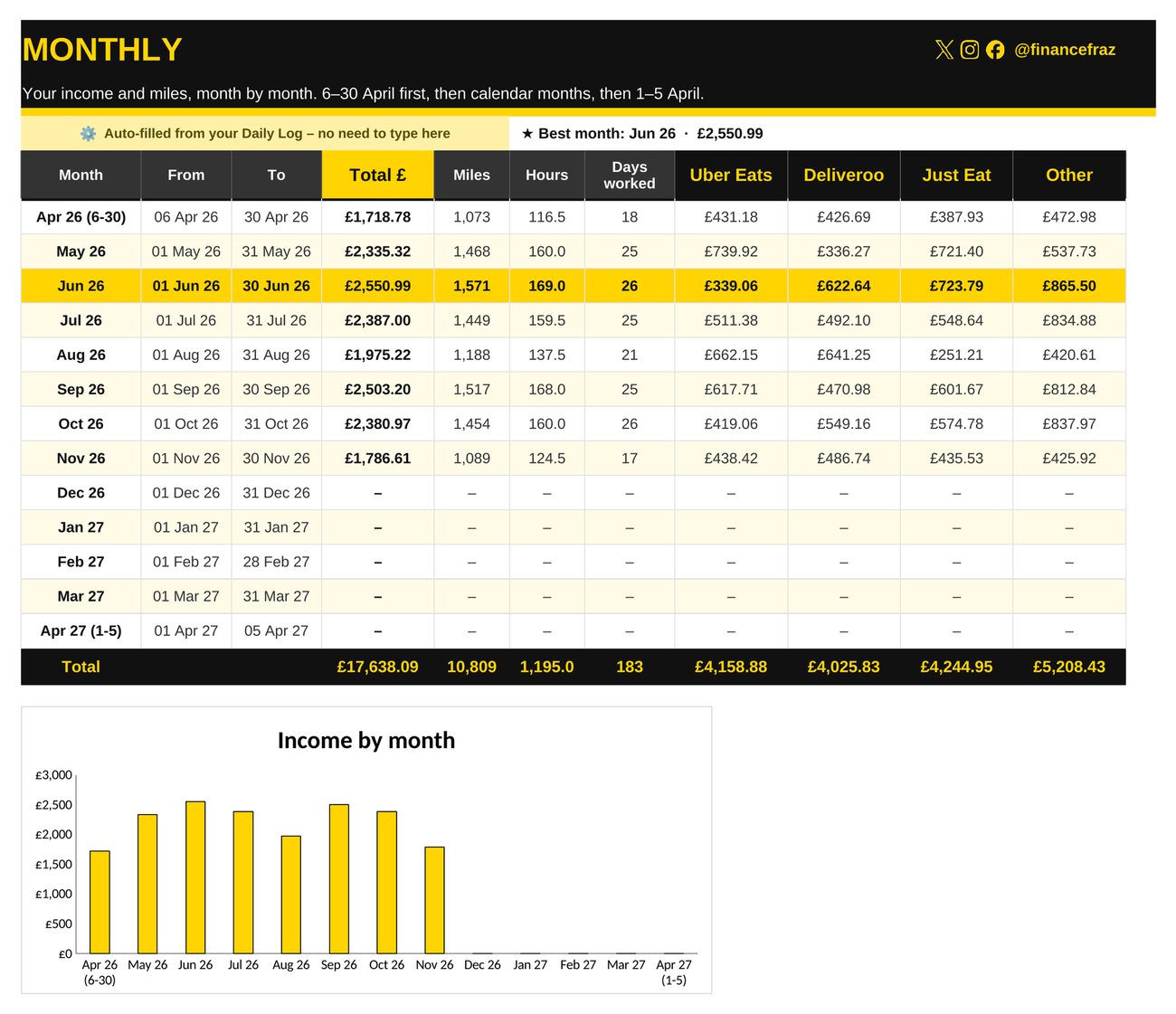
The real spreadsheet, not a mock-up
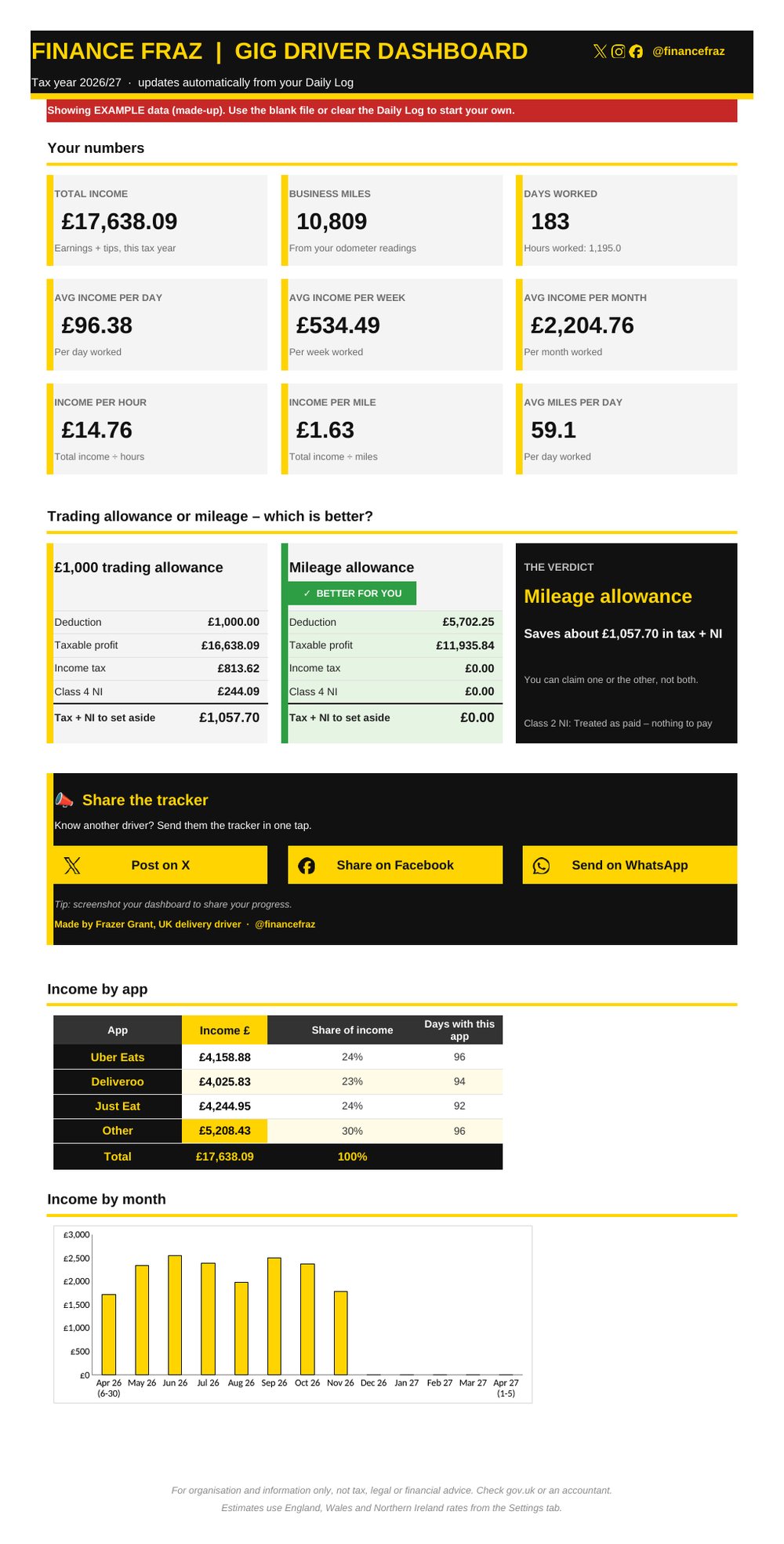
These are screenshots of the example file. Every number in them is made up.
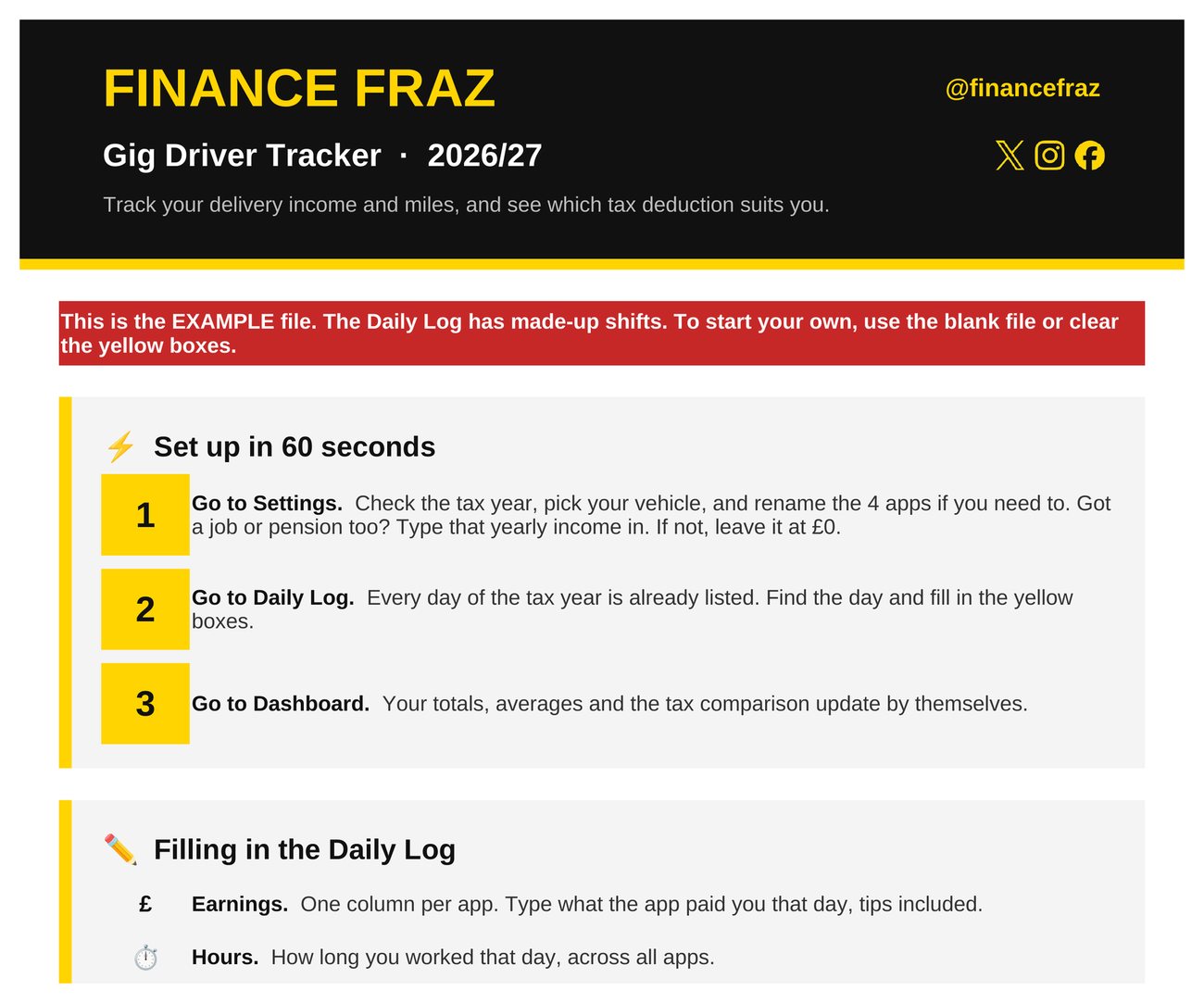
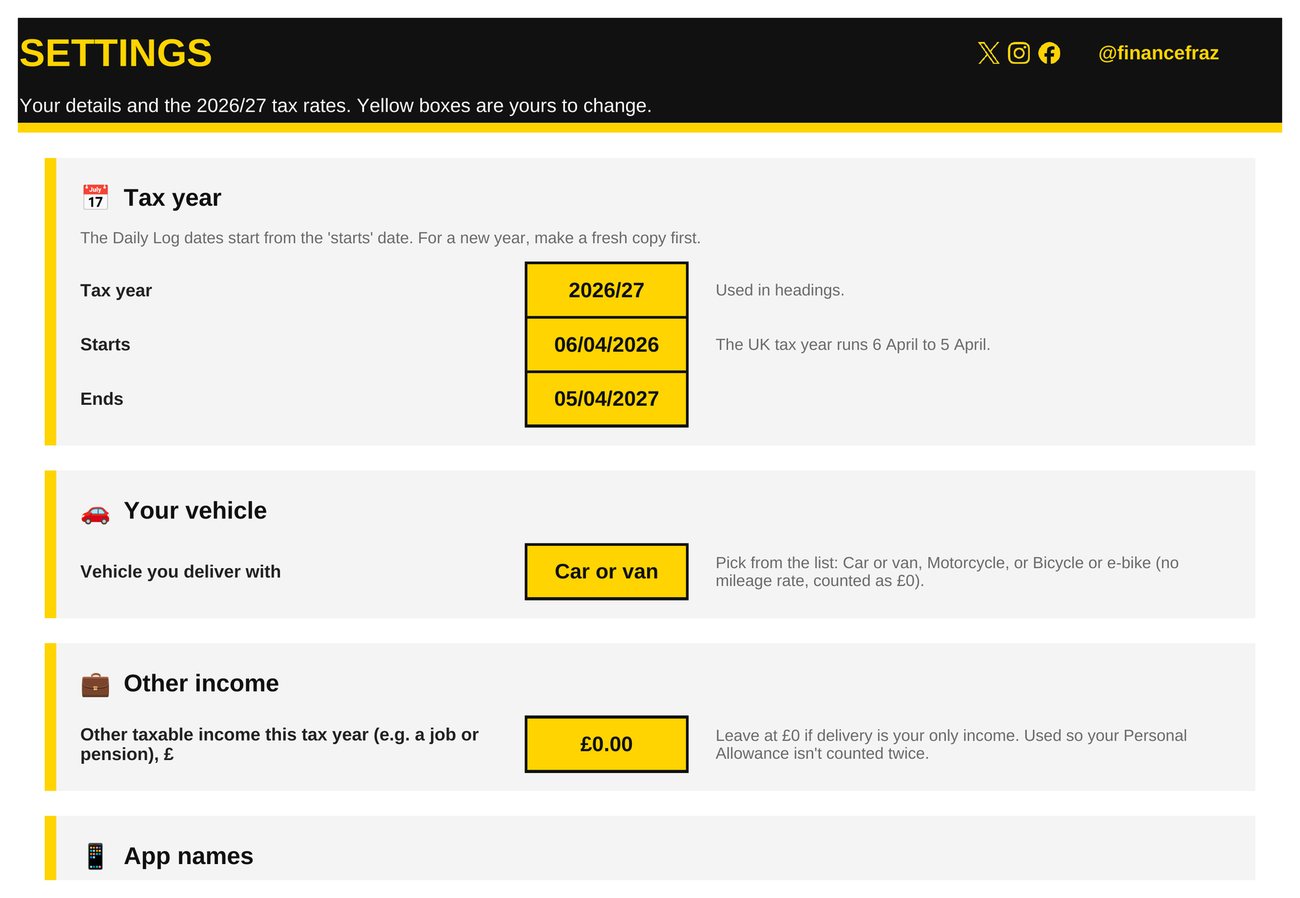
Three steps, about a minute
- 01
Download
Pay once on Payhip and the file lands straight in your inbox. You get a blank version and an example one.
- 02
Open it
Upload it to Google Drive and open it in Google Sheets, or open it in Excel. No macros, nothing to switch on.
- 03
Fill in your days
Every day of the tax year is already listed. Add what each app paid you, your hours and your odometer readings.
A few quid. Pay once.
No app to download, no account, no monthly fee. It's a spreadsheet. Save it, edit it, change the numbers whenever your deal changes.
What you get
- Blank tracker, ready to use
- Example version filled with made-up shifts, so you can see how it works
- Start Here tab with a 60-second setup
- Daily log with every date filled in and one column per app (rename them to suit you)
- Mileage worked out from your odometer readings
- Dashboard with totals, averages, income per hour and per mile, income by app and a monthly chart
- Settings tab with the tax rates, so you can update them each April
Common questions
Is it a subscription?
No. You pay once and the file is yours to keep. No login, no monthly fee.
Do I need Excel?
No. It works in Google Sheets (upload it to Google Drive and open it) and in Excel.
Where do my figures go?
Nowhere. They stay in your own file, on your device or in your own Google Drive. I never see them.
Can I rename the apps?
Yes. There are four app columns. Rename them to Uber Eats, Deliveroo, Just Eat or whatever you use.
Does it work in Scotland?
The Income Tax rates are for England, Wales and Northern Ireland. Scotland's bands are different, so the tax estimate won't match there. The Settings tab holds the rates.
Is this advice?
No. It's for organisation and information only, not tax, legal or financial advice. Check gov.uk or an accountant.
For organisation and information only, not tax, legal or financial advice. Check gov.uk or an accountant.
Want the next planner first?
I'm building more. Newsletter readers hear about them before anyone else.
- Money saving tips and switching offers
- Investing, explained simply
- Side hustles, HMRC and tax allowances
No spam. Unsubscribe any time. Sent by Beehiiv.